

SIAVASH / KIOMADA PERSONAL INVITATION

Come in. Look around.

The things I build. The games I love. The story behind it all. Choose your way in.

A LOOK INSIDE
Gaming room / Digital villa
01 / STEP INSIDE

My world, in 3D.

Beta

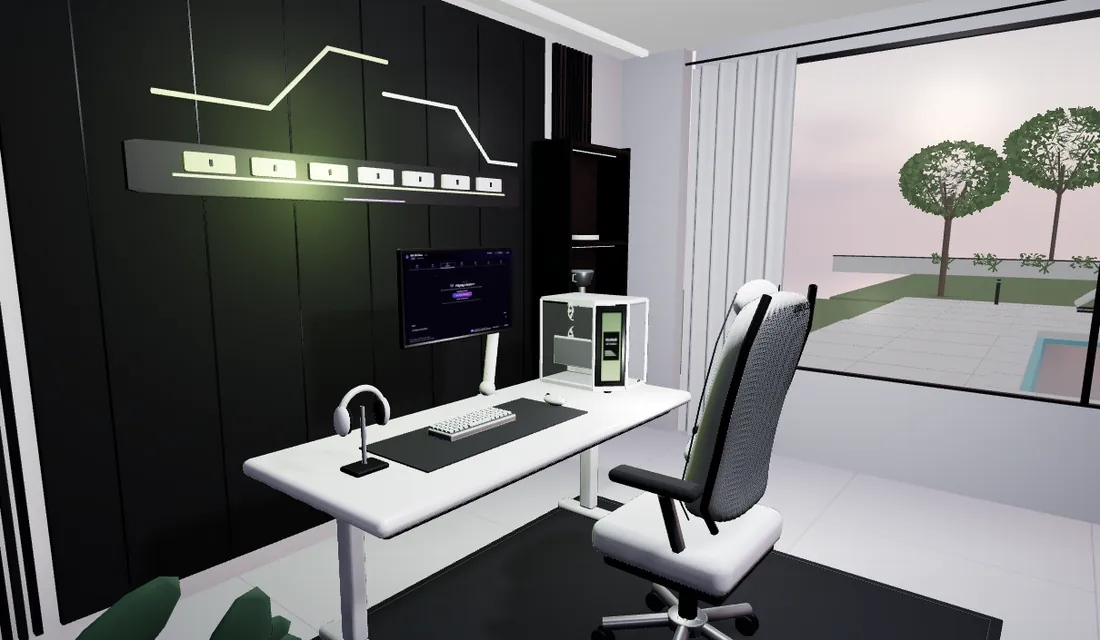
Visit my villa. Explore my rooms, projects and the details behind them. This 3D experience is in Beta and still being improved.

…
THE STANDARD VIEW
Siavash, known as KioMaD, wearing sunglasses and a green sweaterپرترهٔ سیاوش، با نام کیومد، با عینک آفتابی و لباس سبز
02 / KEEP IT SIMPLE

My work, at a glance.

Siavash, known as KioMaD, wearing sunglasses and a green sweaterپرترهٔ سیاوش، با نام کیومد، با عینک آفتابی و لباس سبز

A familiar website for my projects and story. Easy to browse, lighter to load.

…
Explore the standard site

The house loads only after you choose 3D. First-visit estimates vary with cache and connection. Videos load on play.

KioMaDMY DIGITAL HOME · BETA
Read instead
SIAVASH / KIOMAD

Step inside my world.

A home for the things I build, the games I love, and the person behind them. Walk around. Every room has a story.

Read instead
A fictional digital home inspired by my work. Beta experience — still being improved.
Welcome insideOpening the door…

WASD or arrows to move · Drag to look · Select an object

EVERY ROOM, EVERY STORY

A home for my world.

Explore the same stories and projects in a readable view. No walking controls needed.

The studioSiavash · KioMaD · Independent developer

The studio

My curiosity started with PCs and changing lines in CS 1.6 files. Today, I build interfaces, server systems and Windows software, taking an idea through building, testing and refinement.

The code desk

From small changes to complete products. The desk represents the curiosity that first brought me into programming.

The Prism

Player, developer and founder—connected parts of my story. The violet Prism brings those sides into one identity.
Read my story
The arenaFrom player to builder

The arena

Gaming has always been part of my story. I became champion of Iran’s MSI MATRIX CS 1.6 tournament. Rift CS2 carries that experience into guided Windows match preparation.

The trophy

Champion of Iran’s MSI MATRIX CS 1.6 tournament. This sculpted trophy represents that achievement.

The match station

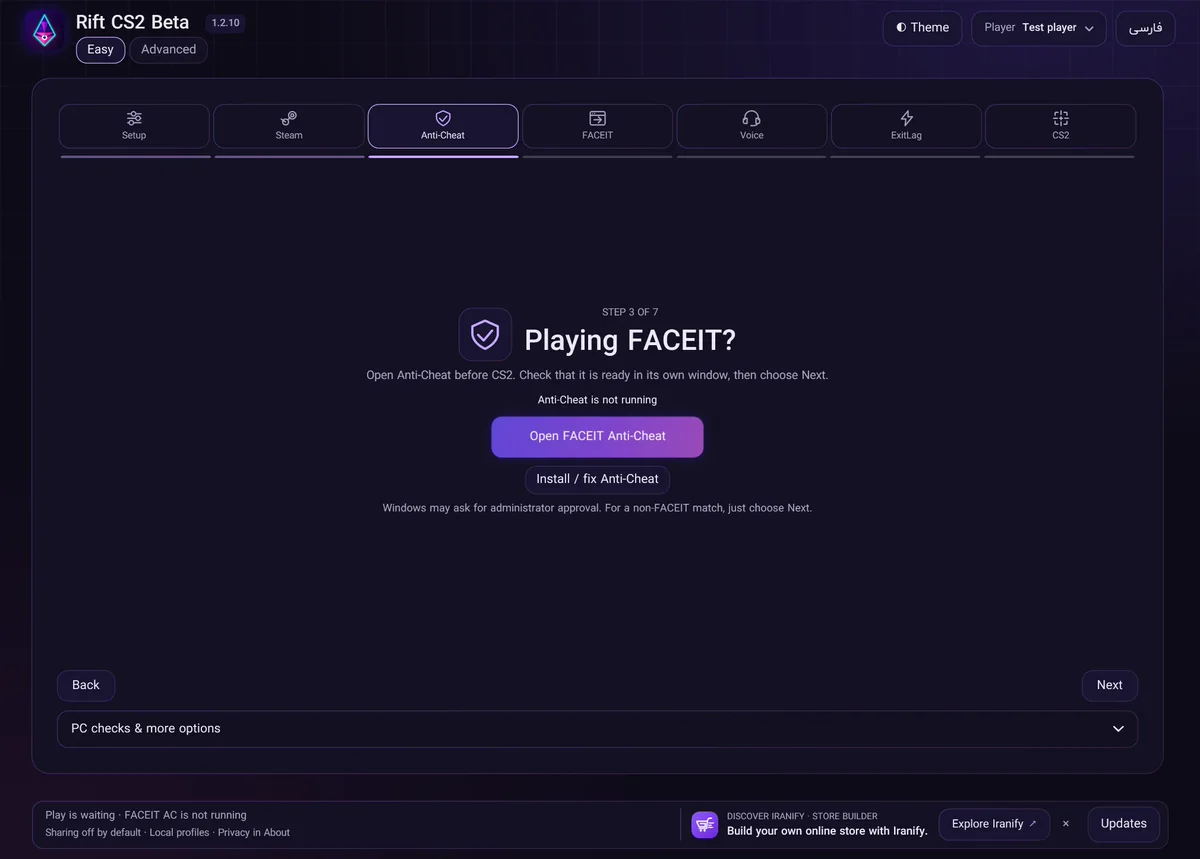
The crosshair connects this room to my Counter-Strike roots. Rift CS2 Beta 1.2.12 is my published Windows release for guided match preparation.

Explore Rift CS2 Beta
The café cornerRift Café · Local development

The café corner

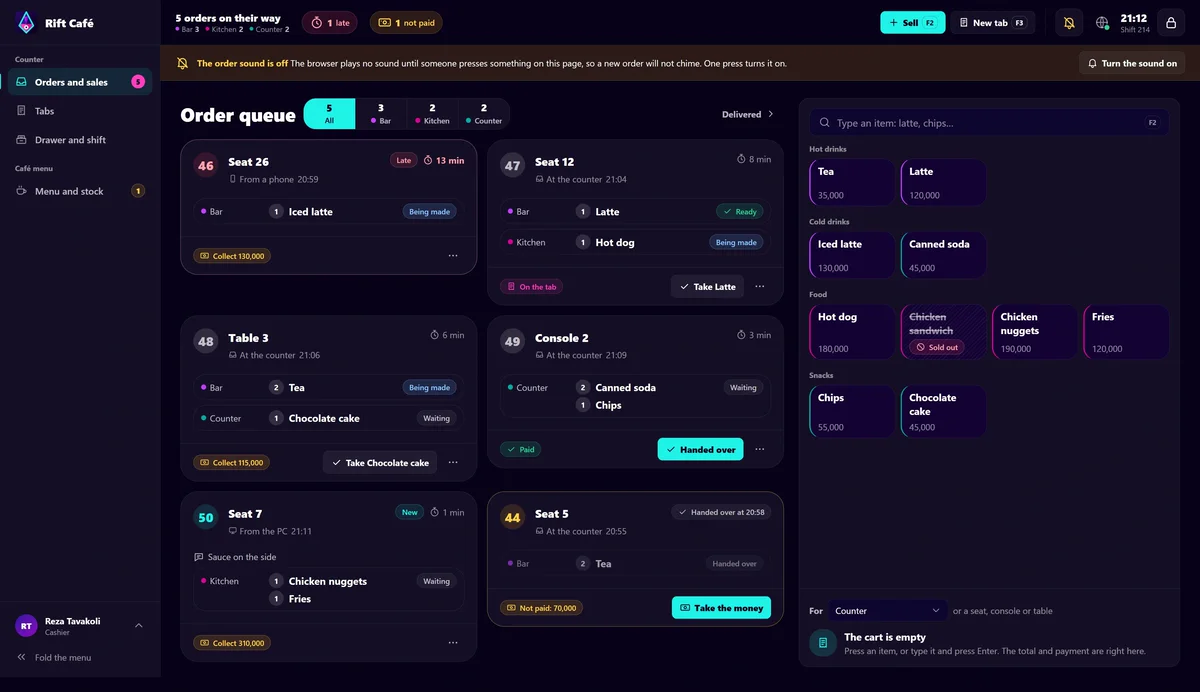
Between rounds, everyday work continues. Rift Café connects menus, stock, preparation queues and customer bills. It remains a local development project, with real-venue testing and Rift Connect integration still ahead.

The counter

Menu and counter tools are implemented; testing in a real venue remains ahead. The screen shows a development preview.

The coffee corner

A small pause between building and playing. This corner connects the house to the everyday café workflows I’m working on.

Explore Rift Café
Behind everything, a person

The terrace

Behind the products, I’m still someone who enjoys PCs, games and turning ideas into something useful. Bring an idea, ask a question, or join the next chapter of my story.

The Iranify print

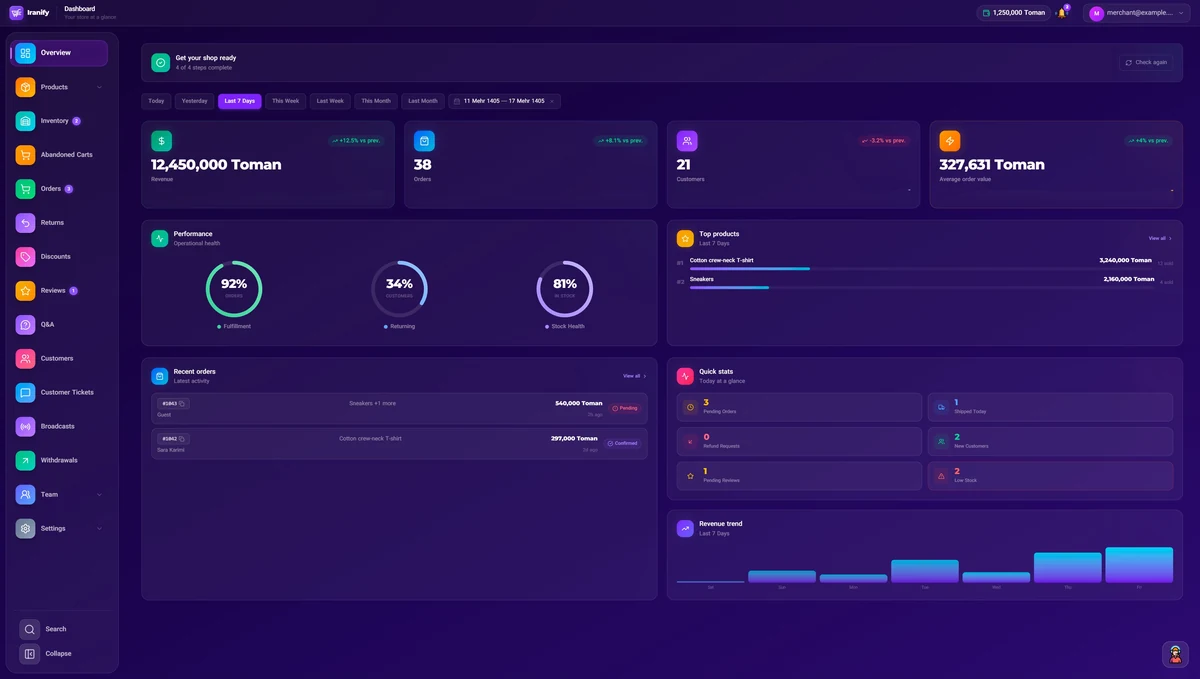
A tribute to my flagship commerce platform, framed as part of the house.

The next conversation

Have an idea? Email me at kio4tom@gmail.com. Or visit my stream page to check the channel.

Visit my stream
Start a conversation

My CS2 moments

A place for the rounds and moments I want to share with you.

My chosen highlights will appear here.

For my brother

A quiet place to remember my brother, who passed away this year.

Visit kiomad.com
FIND YOUR WAY

Rooms & objects

AT YOUR OWN PACE

Welcome to my home

Use W A S D or the arrow keys to move. Drag on the room to look around. On a phone, use the thumb control to move and drag the room to look.

Select an object to discover its story. Use Rooms to go directly to a room or object, and Read instead for the complete website without walking.

Press Escape to leave walking mode or close a panel.

SET THE ATMOSPHERE

Make it your mood.

Choose the colors of this virtual house.

Color palette
#FFE1B7

Colors stay when you switch the lights off.